unik777 Casino & Sportsbook Mobile App
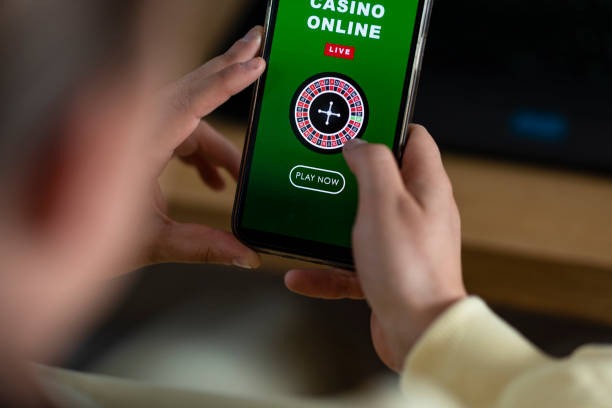
A player in Bandung downloads the unik777 app, logs in, and switches between slot games (Aviator, Sweet Bonanza, Gates of Olympus, Fortune Tiger, Mahjong Ways) and live sportsbook markets (Liga 1, Piala AFF, MotoGP) without leaving the interface. Mobile-first design means faster load times, offline caching, and push notifications for market updates—all without relying on a browser tab.

- Installin
- SHA256 Match
- Update
We at unik777 built our mobile app to give you the full platform experience on Android and iOS devices. Whether you prefer a native Android APK, an iOS web app, or our responsive web interface, our goal is the same: seamless access to slots, live-dealer tables (blackjack, roulette, baccarat, Dragon Tiger), sportsbook markets, and esports betting (Mobile Legends, Free Fire, PUBG Mobile) from anywhere in a supported jurisdiction.
This guide walks you through installation options, setup steps, device compatibility, and common troubleshooting. We also explain how the app compares to browser access and what permissions we request to keep your account secure.
Installation Options for unik777
We offer three ways to access unik777 on mobile: a native Android APK, an iOS web app, and a responsive web interface that works on any device. Each path has its own setup flow, but all three connect to the same account and balance. Choose the option that best fits your device and preference.

Getting Started with unik777 Mobile
Installation Steps
-
Download the app or open the web interface
For Android, download the APK from our site; for iOS, visit unik777.bet in Safari and tap Add to Home Screen; for web, go directly to unik777.bet.
-
Create or log into your account
If you are new, register with your email, username, password, and mobile number; if you already have an account, sign in with your credentials.
-
Verify your identity
We send a verification code via SMS and email; enter the code to confirm your account and unlock deposit and withdrawal features.
-
Deposit and start playing
Choose a payment method (DANA, e-wallet, mobile banking, local payment, online payment, e-wallet, or bank transfer), add funds, and begin exploring slots, live tables, sportsbook, or esports markets.
App vs. Browser: Key Differences
Our native Android app and iOS web app offer offline caching, which means you can view your account balance and game history even without an internet connection. Push notifications alert you to market updates, live-dealer table availability, and slot tournament schedules. The app also loads faster because it does not rely on a browser engine. However, the web interface requires no installation and works on any device with a modern browser. Choose the app if you want speed and notifications; choose the browser if you prefer simplicity and cross-device flexibility.
Device Compatibility
Our Android app requires Android 7.0 or later. Our iOS web app works on iOS 12.0 and above. The responsive web interface supports any device with a modern browser (Chrome, Safari, Firefox, Edge). If your device is older than these versions, we recommend using the web interface instead. We test our app on common devices in Jakarta, Surabaya, Bandung, Medan, and Semarang to ensure smooth performance on local networks.
Troubleshooting Installation Issues
If you see a warning about "Unknown sources" on Android, go to Settings > Security and enable installation from unknown sources. If iOS shows a certificate warning, tap Trust and then Install. If the app crashes on launch, clear your cache (Settings > Apps > unik777 > Storage > Clear Cache) and try again. If you cannot download the APK, check that your device has at least 50 MB of free storage. If you still encounter problems, contact our support team via live chat or email during business hours; we respond in English and can walk you through each step.
Data, Permissions & Account Security
Our app requests permission to access your device's camera (for identity verification during KYC), microphone (for live-dealer table chat), location (to confirm you are in a supported jurisdiction), and notifications (for market and tournament alerts). We do not sell or share these permissions with third parties. All data transmitted between your device and our servers is encrypted using industry-standard TLS. Your account password is never stored on your device; we use secure session tokens instead. If you lose your device, log into unik777 from another device and change your password immediately. We can also help you recover your account by verifying your identity via email and SMS.
Tips for Using unik777 on Mobile
Keep your app updated to the latest version for security patches and new features. Enable push notifications so you do not miss live-dealer table openings, slot tournament schedules, or sportsbook market updates for Liga 1, Piala Indonesia, and Piala AFF. Use a strong, unique password and enable two-factor authentication (if available) to protect your account. If you are using a shared device, log out after each session and clear your browser cache.
Our support team is available during business hours via live chat, email, and in-app messaging. We respond in English and can help with account access, payment issues, game questions, and withdrawal requests. If you experience a technical problem with the app, include your device model, operating system version, and a description of the issue when you contact us.
We at unik777 are committed to providing a secure, fast, and user-friendly mobile experience. Whether you choose the Android app, iOS web app, or web browser, you have full access to our slot games, live-dealer tables, sportsbook markets, and esports betting. Download or open unik777 today and explore the platform from anywhere in a supported jurisdiction.